Showing posts with label iphone. Show all posts
Wednesday, November 10, 2010
Windows Mobile Messaging (Microsoft Exchange) vs. BlackBerry BES (BlackBerry Enterprise Server)
In the enterprise infrastructure, 2 hand held messaging platforms are dominant: Microsoft Exchange and BlackBerry Enterprise Server (BES). Windows Mobile phones and the iPhone use the ActiveSync MS Exchange Server information to sync up with your mailbox, whereas BlackBerry phones use a BES server.
In the current infrastructure I manage, our enterprise phones are BlackBerry devices. The BES links up with MS Exchange. When emails are received, they route to both servers. The main benefit here is if the MS Exchange network account is locked out, the BES continues to be able to send and receive messages.
In terms of being a user, I still preferred the iPhone over BlackBerry as I like the iPhone's OS. However, from an enterprise point of view, the decision makers seem to be more comfortable with a BES as it has a reputation of being more secure (whether this is true or not is a different story).
What are you experiences and thoughts on this?
Labels:
Blackberry,
device,
email,
enterprise,
infrastructure,
iphone,
mailbox,
messaging,
Microsoft Exchange,
OS
Monday, October 11, 2010
AT&T Debuts HTC Surround, LG Quantum, & Samsung Focus as Windows 7 Smartphones... Cellular VoIP to be mainstream in 2011?
Today, AT&T and Microsoft unveiled 3 new devices to run the new Windows 7 mobile operating system. The 3 include the HTC Surround, the LG Quantum, and the Samsung Focus; and the planned release date is during the 2010 holiday season.
With Windows Phone 7 devices hitting the marketplace, will cellular VoIP become more mainstream in 2011? We already saw Skype's ability to work over 3G on Android phones (albeit with a hack), and it's safe to say this capability will be uncovered with the Windows 7 phones.
On an Enterprise level, will the Windows 7 smartphones encroach on the territory currently shared by BlackBerry and the iPhone? The Windows 7 smartphones will obviously work with MS Exchange and could offer ease of use with an existing infrastructure. Time will only tell.
Monday, September 20, 2010
Dropbox: Managing Your Files Everywhere You Go
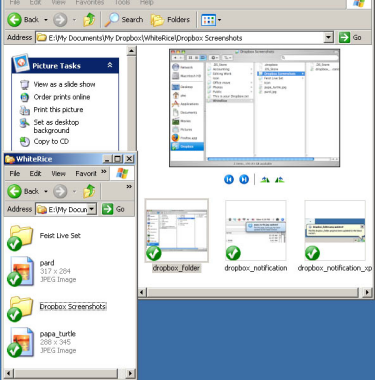
Managing files between computers and mobile devices has just got a lot easier with the help from the folks at Dropbox. Dropbox is service which allows you to store your files on a cloud network (which means an Internet-based network, whereby shared resources, software, and information are provided to computers and other devices on demand)
The benefits of Dropbox includes automatic syncing when new files or changes are detected, automatic backup of your files, and the ability to restore previous versions of your files.Dropbox is available for Windows, OSX and Linux a free Dropbox application for iPhone, iPad, and Android, which lets you access your files anywhere you go. For Blackberry users a mobile-optimized version of the website is also available for owners of Blackberry phones and other Internet-capable mobile devices.
Dropbox's pricing plans start with the Basic plan which is 2 GB of storage for free. A Pro 50 plan of 50 GB for 9.99/month and the Pro 100 of 100 GB for 19.99/month. Every time you refer a person to Dropbox, you get an extra 250MB added to your account for free with a maximum of 8GB.
For more information, visit Dropbox at http://www.dropbox.com/
Labels:
Andriod,
Blackberry,
Cloud,
Dropbox,
ipad,
iphone,
mobile,
Mobile computing,
Nerworking,
OSX,
Windows 7,
Windows XP
Sunday, September 19, 2010
E-Readers And How To Get Them Working For You
Trying to get an e-book to an iPad or any other device (Sony e-reader, Nook, Kindle) can be difficult, but with this is simple program Calibre e-book management, reading your books from your devices will be harmonious.
What i like the most about Calibre is that it has a very simple interface that anyone can use, and it also can convert many of the popular formats such as PDF and EPUB with just a couple of clicks. It even searches a database that will help tag your files as well as find cover art and creates a separate file so that you can keep your original file and upload it to your device.
If you are using any iOS device (iPad, iPhone, iTouch), just open iTunes. Go to file, select add file to library, sync to your device, and that's it. The best part is that Calibre is free and is available on Windows, OSX, and Linux.
Below is a quick guide tour from the creator of Calibre. For more information, visit the homepage for Calibre: http://calibre-ebook.com/